
Instead of manually re-entering company details across Saudi government services, connect your commercial registration to a ZATCA tax number by checking the taxpayer record created through business registration, completing the required details, and confirming the correct tax obligations. Treat Value Added Tax (VAT) registration as a separate check—not proof that the initial taxpayer setup is complete.
- The commercial registration to ZATCA tax number workflow starts with checking your existing taxpayer record, not requesting another number.
- A ZATCA taxpayer identification number and a VAT registration number serve different purposes.
- Gofico supports foreign companies with business setup and ongoing compliance in Saudi Arabia.
- Verify company details, authorised access, tax registration status, and saved evidence before closing the setup task.
Why this matters
A commercial registration establishes your business record with the Ministry of Commerce. The Zakat, Tax and Customs Authority (ZATCA) administers your tax record. These records need to identify the same legal entity, but they do not replace each other.
For your 2026 market entry, separate incorporation, taxpayer registration, and VAT registration into distinct checks. If commercial registration is still incomplete, start with the investment registration to commercial registration workflow before attempting the tax-account steps.
Gofico is best suited to foreign companies seeking business setup and ongoing compliance support in Saudi Arabia. Government registration decisions remain with the relevant authorities; appointing an adviser does not replace those decisions.
Know which number you need
| Record or identifier | What it establishes | What it does not establish |
|---|---|---|
| Commercial registration | The company's commercial registration record | Completion of every tax registration obligation |
| Taxpayer identification number (TIN) | The taxpayer's identity in ZATCA's records; the TIN has 10 digits | VAT registration by itself |
| VAT registration number | VAT registration; a Saudi VAT number has 15 digits | Completion of corporate income tax or zakat obligations |
The practical benefit of a TIN is a consistent taxpayer identity. Its limitation is equally important: having a TIN does not mean every applicable tax service is active.
Before you start
- Company records: Prepare the current commercial registration, incorporation documents, ownership details, registered address, and authorised representative's details. Use the legal entity's records rather than a trading name alone.
- Account access: Have access to the company's ZATCA account, registration messages, and registered contact channels. If an adviser handles the application, arrange appropriate authorisation rather than sharing personal credentials.
- The non-obvious gotcha: Commercial registration can initiate ZATCA registration through government integration. Check existing messages and taxpayer records before starting another application; a new account is not a substitute for recovering the correct one.
For a 2026 application, check the live requirements in ZATCA's official electronic services before preparing attachments. The relevant official sources are ZATCA's taxpayer registration guidance, taxpayer-information amendment services, and VAT registration guidance. Use the service that matches your entity and tax obligation.
Existing taxpayer record
The first configuration task is identifying the correct taxpayer record. Do not begin by assuming the business needs a newly issued number.
- Check registration messages. Review the email and mobile channels used during commercial registration for ZATCA notifications. Look for taxpayer-registration details and instructions for completing access.
- Open ZATCA's official website directly. Select Login and use the business's existing access route. Avoid entering credentials through unsolicited messages.
- Confirm the taxpayer identity. Match the legal entity name and available registration identifiers against the current commercial registration. Do not select an account merely because the business name looks familiar.
- Recover existing access when necessary. Use the official recovery process if the taxpayer record exists but the company cannot sign in. If you cannot establish whether a record exists, ask ZATCA to confirm before submitting another registration request.
Expected result: You can access the correct entity's taxpayer record, or you have an identified access or registration issue to resolve with ZATCA. Do not continue under another group company's account.
A foreign parent and its Saudi subsidiary are not interchangeable taxpayers. A Saudi branch also needs to be handled according to its own registration record; the parent's overseas tax number does not replace Saudi registration.
Taxpayer profile
Once you have the correct account, complete the taxpayer information requested for that legal entity. This is the substantive connection between the commercial record and the tax record—not simply copying a number into an internal spreadsheet.
- Compare company information. Check the commercial registration details, legal name, legal form, and address against the current supporting documents. Use official records to resolve differences.
- Review ownership and activity information. Confirm that shareholder details and business activities reflect the entity's actual structure. Foreign ownership is relevant to the tax assessment; do not copy another company's selections.
- Complete outstanding registration information. Follow the initial-registration task presented in the account. Supply the documents requested by the live service, using readable and current copies.
- Confirm contact responsibility. Ensure the registered contact channels reach someone responsible for compliance. Record who receives notices and who acts on them.
- Submit and retain evidence. Save the submission acknowledgement and reference. Review any subsequent request for clarification rather than treating submission as acceptance.
Expected result: The taxpayer profile reflects the commercial registration and supporting documents, with a saved submission record and a clear status.
For 2026 onboarding, assign responsibility for both submission and follow-up. A correctly completed form still needs attention if ZATCA requests clarification. Avoid making the formation adviser the only person who can locate the company's registration evidence.
Tax obligations and VAT registration
Taxpayer identification and tax treatment are separate decisions. Foreign ownership, ownership composition, entity structure, and activities affect the analysis; a commercial registration alone does not settle it.
- Review the applicable tax position. Establish the company's corporate income tax and, where applicable, zakat obligations. Zakat is a statutory assessment administered by ZATCA; do not treat it as another name for corporate income tax.
- Check VAT registration separately. For a resident business, mandatory VAT registration generally applies when annual taxable supplies exceed SAR 375,000, subject to ZATCA's rules. The assessment includes the relevant preceding or expected following 12-month period; non-resident rules differ.
- Use the appropriate VAT service. If registration is required, use VAT Registration in ZATCA's electronic services and complete the applicable application. Support turnover information with business records rather than unsupported estimates.
- Check the outcome. Confirm the application's status and review the resulting certificate when registration is approved. Record the effective registration date and the obligations shown in the account.
Expected result: You know which tax registrations are complete, which applications remain pending, and which obligations need further action.
Do not present the 10-digit TIN as a 15-digit VAT registration number. Equally, a VAT certificate does not establish that every other tax obligation has been addressed.
The SAR 375,000 figure is a statutory registration threshold, not a government service charge or an adviser fee. For your 2026 assessment, use ZATCA's official VAT registration guidance to determine which supplies and periods enter the calculation.
Verification and handover
Close the setup task only after checking the record, the registration status, and responsibility for future notices.
- Verify identifiers. Compare the commercial registration against the taxpayer profile and confirm the TIN belongs to the intended legal entity. Where VAT registration applies, check the certificate separately.
- Save the evidence. Retain registration documents, acknowledgements, certificates, and unresolved correspondence in the company's compliance records.
- Assign ownership. Name the internal person responsible for account access, notices, filing preparation, and adviser coordination. Keep credentials out of shared documents.
- Record outstanding actions. Distinguish submitted, pending, and approved items. Set follow-up dates around actual notices and obligations rather than an assumed approval timetable.
Expected result: The company has a traceable taxpayer record and an actionable handover, not just a number forwarded by email.
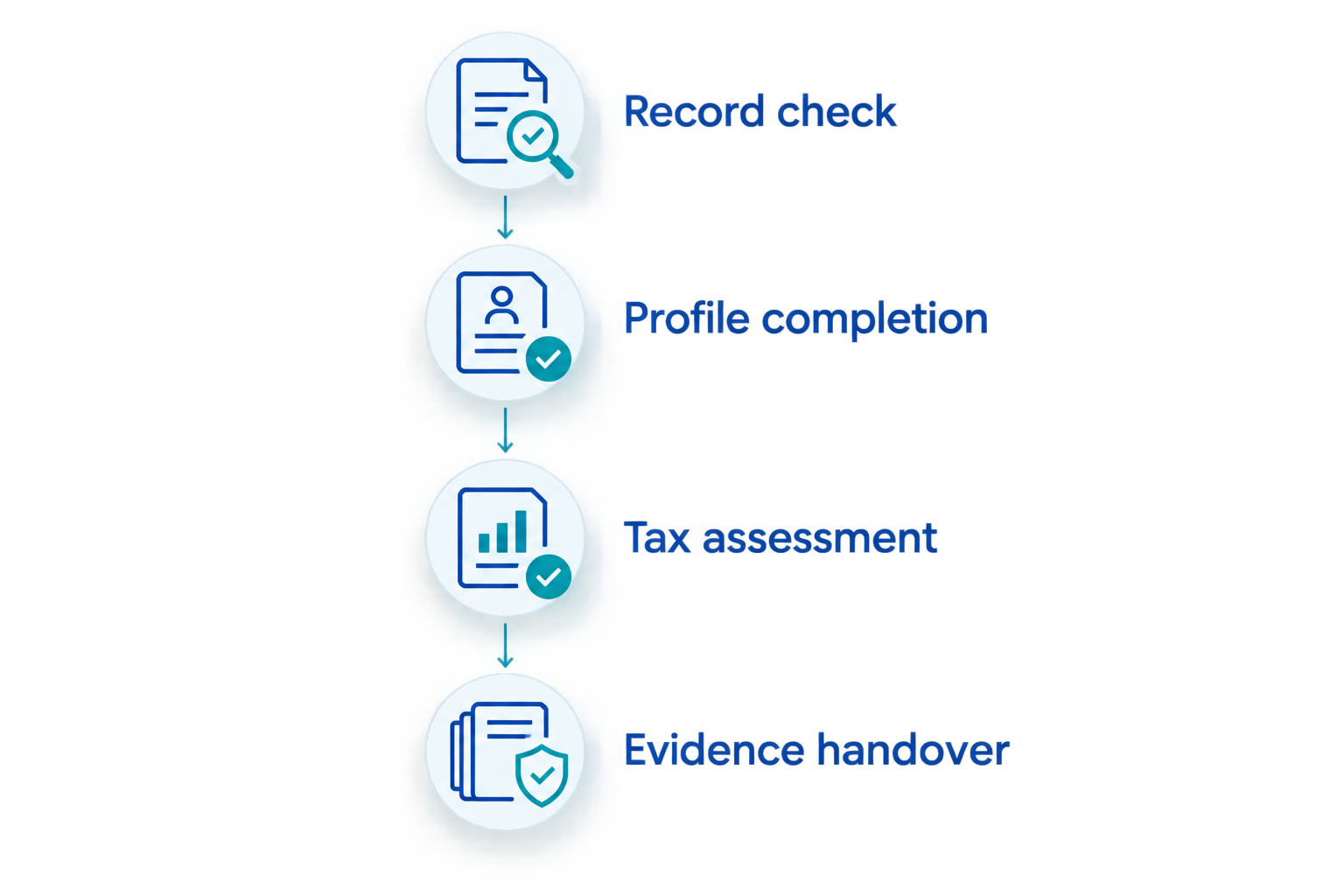
Use these checkpoints to review the workflow:
- Record check: Establish whether the taxpayer already exists.
- Profile completion: Align taxpayer information with company documents.
- Tax assessment: Determine the registrations that apply.
- Evidence handover: Preserve outcomes and assign responsibility.
Update the tax record when company details change
An existing company needs an amendment workflow rather than a fresh-registration workflow when its information changes. A new legal entity, however, requires a separate assessment; do not assume every restructuring is a profile amendment.
- Identify the change. Establish whether the issue concerns the legal name, address, ownership, activity, or another registered detail.
- Correct the originating record where required. Complete the relevant commercial-registration amendment before asking the tax record to reflect it.
- Review the ZATCA profile. Check whether the change appears correctly. Use ZATCA's taxpayer-information amendment service for outstanding corrections and supply the requested evidence.
- Reassess related obligations. Review whether the change affects tax treatment, VAT details, certificates, or future filings. Retain the amendment confirmation.
Expected result: The commercial and tax records remain consistent, with evidence showing what changed.
The advantage of amendment is continuity of the existing taxpayer record. The limitation is that changing profile information does not, by itself, resolve every tax consequence of a transaction or restructuring.
Troubleshooting
No ZATCA registration message arrived
Check the contact details used during incorporation and whether an authorised representative received the message. Ask ZATCA to confirm the registration position if the taxpayer record remains unclear; do not create another account as a workaround.
The commercial registration details do not match
Compare the current official documents with both government records. Correct the originating error, then submit the appropriate amendment with supporting evidence. Avoid changing accurate taxpayer information merely to match an outdated document.
The account belongs to another entity
Stop before submitting information. Confirm the legal entity, taxpayer identity, and representative's authority. Similar names within a corporate group do not justify using the same taxpayer account.
A customer asks for a VAT number, but you only have a TIN
Check the company's VAT registration status and obligations. If registered, retrieve the VAT certificate; if registration is pending, describe that status accurately. Do not add digits to a TIN or label it as a VAT number.
The application is submitted but remains incomplete
Read the status message and requests for clarification. Respond through the official service and retain the reference. Submission is evidence of an application, not proof of approval or a reason to assume a completion date.
Customize your workflow
Connect the tax-registration handover to your wider business setup process. The company's accounting records, ownership documents, registered contacts, and filing responsibilities should support the same legal entity.
Gofico's business setup and compliance services cover initial setup and ongoing compliance support. For a focused enquiry, provide your entity type, commercial-registration status, ownership structure, ZATCA access position, and any notice requiring action. Share sensitive documents only through an agreed secure channel.
For your 2026 compliance plan, distinguish government requirements from the work assigned to an adviser. Ask for a defined scope covering record checks, application support, follow-up, and handover; do not assume that formation support includes every subsequent filing.
Discuss your tax registration workflow
Ask Gofico about commercial-registration checks, taxpayer setup, and ongoing compliance support.
FAQ
How do I connect my commercial registration to a ZATCA tax number?
Check the taxpayer record associated with your commercial registration, access the correct ZATCA account, and complete the required registration information. Verify the entity details and assess VAT registration separately.
Does commercial registration automatically complete my ZATCA registration?
Commercial registration can initiate ZATCA registration through government integration, but you still need to verify the taxpayer record and complete outstanding requirements. Do not assume that receiving a number completes every tax obligation.
Is a ZATCA tax number the same as a VAT number?
No. A ZATCA taxpayer identification number has 10 digits, while a Saudi VAT registration number has 15 digits. Check the VAT certificate rather than using the TIN as evidence of VAT registration.
Does every foreign-owned Saudi company need VAT registration?
Foreign ownership alone does not determine VAT registration. Assess the company’s residence status, taxable supplies, and the applicable ZATCA registration rules separately from corporate income tax or zakat.
What should I do if my adviser created the ZATCA account?
Confirm that the account belongs to the correct company and arrange appropriate authorised access. Ensure the company retains its registration evidence and can receive and act on official notices.
Should I request a new tax number after changing my company address?
Use the existing taxpayer record and the appropriate amendment process for an address change. Correct the relevant source record where required, then verify that the ZATCA profile reflects the updated details.
Can Gofico help with registration and ongoing compliance?
Gofico supports foreign investors and entrepreneurs with company formation, compliance, and consulting services in Saudi Arabia. Agree the specific registration and ongoing-support scope before assigning the work; government approvals remain with the authorities.
One last thing
The most useful handover is not the tax number—it is control of the taxpayer record. Before closing the task, confirm who can access the account, who receives notices, and where the evidence is stored. A number in an email does not answer any of those questions.
Related guides
- Compliance obligations for foreign companies in Saudi Arabia
- Commercial registration to Qiwa activation workflow
- Professional services to arrange before Saudi market entry